Melody(TM) - SysML Parametric Solver for IBM Rational Rhapsody

Melody™ 7.5.1 R2

The Melody™ plugin makes SysML parametric models in Rhapsody come alive by executing the underlying math-based relationships. With Melody™, system engineers can for the first time execute parametric models in Rhapsody to explore system performance and other measures-of-effectiveness (MoEs), automatically verify requirements, run trade studies, orchestrate simulations, estimate cost and allocate resources, keep diverse system models in-sync (e.g. logical and physical, hardware and software), and do much more. Links between SysML and Excel® make it easy to import and export data, and generate graphs and charts. The MATLAB/Simulink® connection and the custom Mathematica® connection allow users to wrap existing MATLAB M-files and custom Mathematica functions as SysML constraint blocks, build high-fidelity analysis models (e.g. cost, performance, risk), and execute them in the context of the system-of-interest.

Melody™ 7.5.1 R2 is the second release of Melody™. It works with both Rhapsody 7.5.1 and 7.5, and is available in 2 editions - Standard and Pro (see Editions and Pricing section below).

SysML Parametrics and Melody™

Effective development of complex systems requires a means to compute, verify, and track the measures-of-effectiveness (MoEs) of a system, such as performance, risk, and cost on a continuing basis. Parametrics is one of the four pillars of SysML, and provides system engineers a mechanism to define math-based relationships between the system MoEs and the design variables at different levels of abstraction. These math-based relationships are represented as reusable constraint blocks, which could represent simple linear algebraic equations or wrap externally-defined models, such as MATLAB/Simulink models, Mathematica functions, Excel spreadsheets, and even finite-element analysis models. 

In general, SysML parametrics provides a powerful and extensible means to represent relationships between diverse models in a descriptive manner. By executing parametric models, Melody™ makes it possible to do the following and much more.

1.  Compute system MoEs by defining parametric models that relate MoEs (such as cost, performance, risk, reliability) to system design variables, and executing parametric models using Melody™.

2.  Wrap MATLAB/Simulink models and Mathematica functions as SysML constraint blocks and compose them with other functions to build and execute high-fidelity analysis models. Melody™ orchestrates the execution of externally-defined models.

3.  Find best-in-class system design alternatives by setting up and executing a trade study using Melody™, which will execute parametric models for an entire set of design alternatives and export results to spreadsheet(s).

4.  Automatically verify requirements by modeling text-based requirements as equations, creating parametric models to connect them to system variables and MoEs, and executing the parametric models using Melody™.

5.  Verify system design constraints by defining parametric models to represent these constraints, and executing them using Melody™.

6.  Sync diverse aspects of a system model (such as logical and physical, hardware and software) by defining parametric models that relate the properties of each model, and executing the parametric models using Melody™.

Screenshots

(click to enlarge)

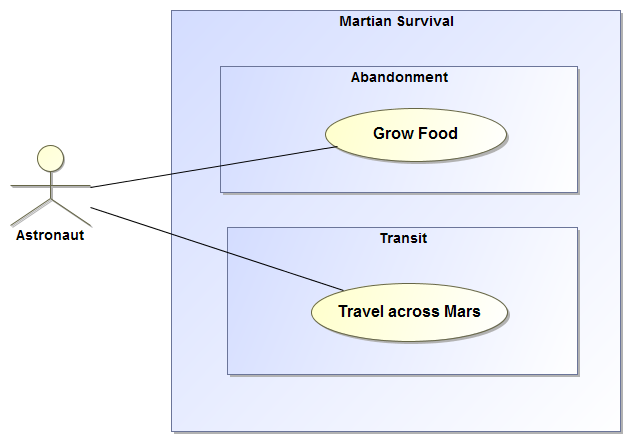
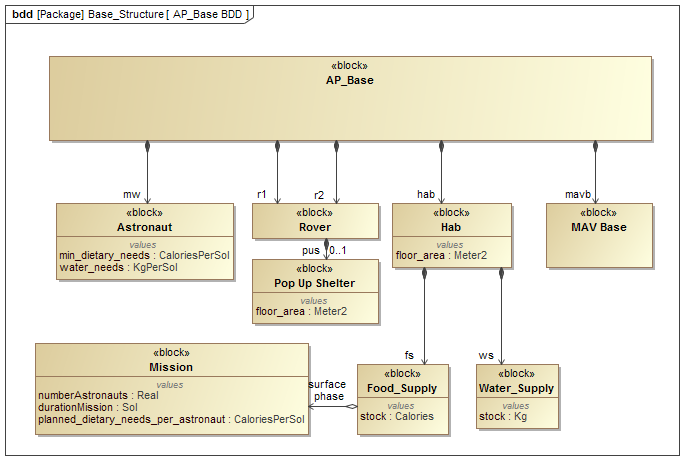
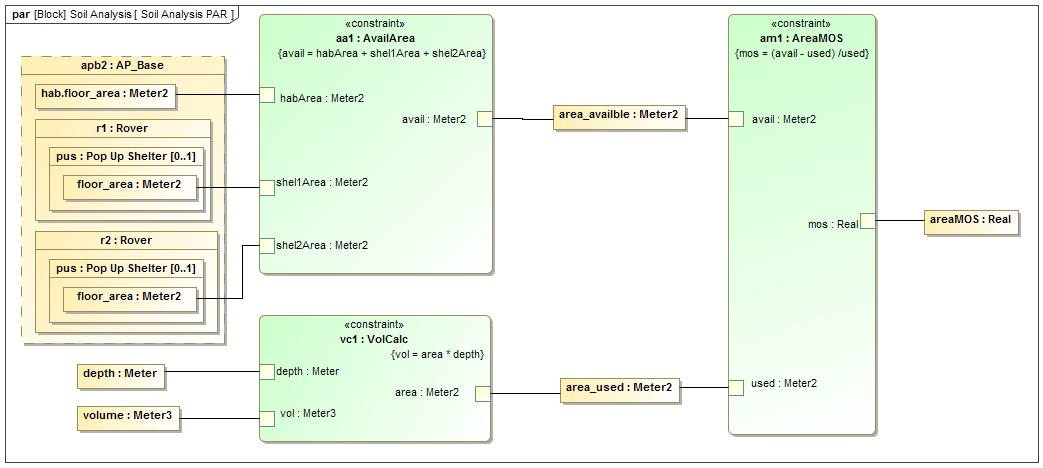
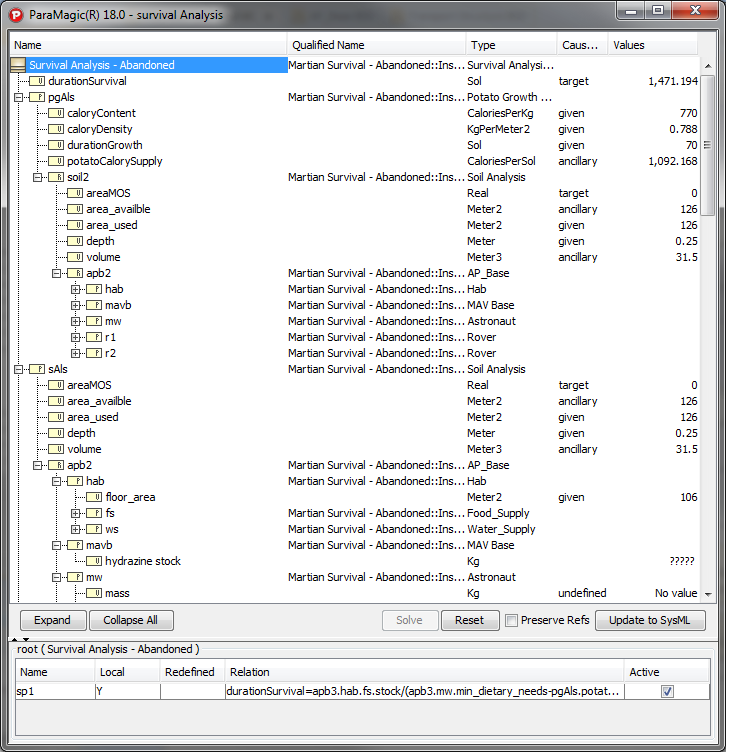
Satellite example - SysML BDD in RhapsodySatellite example - Connecting instances to Excel spreadsheet(s)Satellite example - SysML parametric diagram in RhapsodySatellite example - Melody browser, executing parametric modelMATLAB_MathematicaTradeStudy

How do I get started?

1.   Download Melody™ 7.5.1 R2 components below:

a. MelodyTM plugin

b. Users Guide

c. End User License Agreement

2.   Request a Melody™ license by following instructions in Step 1 of the installation process (Section 3.2, Page 7) in the Users Guide. A free 30-day evaluation license is available.

3.   After receiving your Melody™ license, finish the rest of the installation process. Melody™ comes with several examples models and tutorials. See Users Guide for details.

4.   Melody™ requires Mathematica or OpenModelica (free) as a core solver. You may either download and use OpenModelica or access our test Mathematica server during the evaluation period. See Step 6 (or 7) of the installation process in the Users Guide to configure Mathematica (or OpenModelica).

Editions and Pricing

Melody™ 7.5.1 R2 is available in two editions - Standard and Pro. Click here for feature comparison and pricing.

What next?

We are actively working to bring several new features to Melody™, including:

1. Automated generation (and sync) of SysML instances from (with) spreadsheets.

2. Automated generation of system design alternatives for trade studies.

3. Supporting complex aggregate relationships (see Users Guide, section 5.6.4).

Application Areas

InterCAX's SysML parametric solver technology is being applied in the following areas:

1.   Aerospace, automotive, and marine systems

2.   Defense and intelligence

3.   Supply chains and logistics

4.   Energy and sustainability

5.   Finance and risk management

6.   Urban planning and infrastructure